

9. Results, reports, and issue navigation
The full operational, safety, workflow, reporting, locale, and issue reference.
9.1 Reading issue counts
After an analysis, each enabled Typography row shows the number of findings represented by that row. A row can total more than one underlying issue type. Counts describe findings, not necessarily unique paragraphs; one paragraph can contain several issues.
Use category totals to understand the result, then inspect individual records before making changes. A high count can mean a systematic style or template problem rather than many unrelated copy errors.
9.2 Severity, category, role, and confidence
Typography records can include:
- Issue Type — the engine identifier;
- Severity — informational, warning, or error-level importance;
- Category — Micro, Mezo, Macro, Semantic, or Break Audit;
- Role — the inferred function of the affected text;
- Confidence and Confidence Score — how strongly the evidence supports the classification;
- Source Rule — the rule that produced the result;
- Fix Hint — recommended next action;
- locale explainability fields.
Severity does not remove the need for judgment. Confidence is especially important for semantic and locale-sensitive findings.
9.3 Typography issue navigator
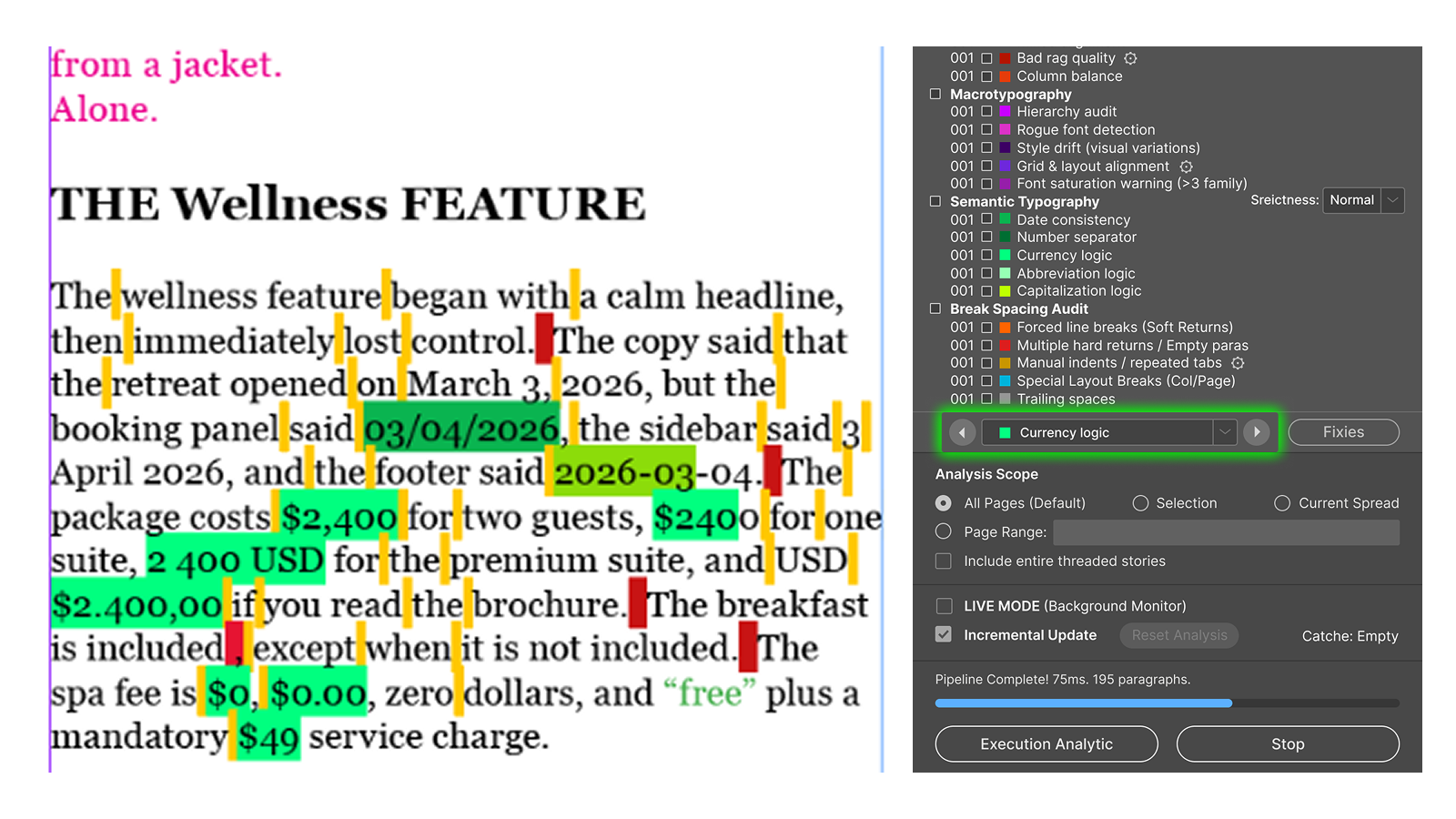
The persistent navigator at the bottom of the Typography list becomes available after a result exists. It contains:
- a previous arrow;
- an issue-color indicator;
- an issue-type menu showing counts;
- a next arrow;
- Fixes.
Select an issue type and use the arrows to move through its occurrences. Avellio selects the relevant content and attempts to zoom to approximately 150%. Navigation wraps from the last result to the first.
9.4 Report dialog versus main navigator
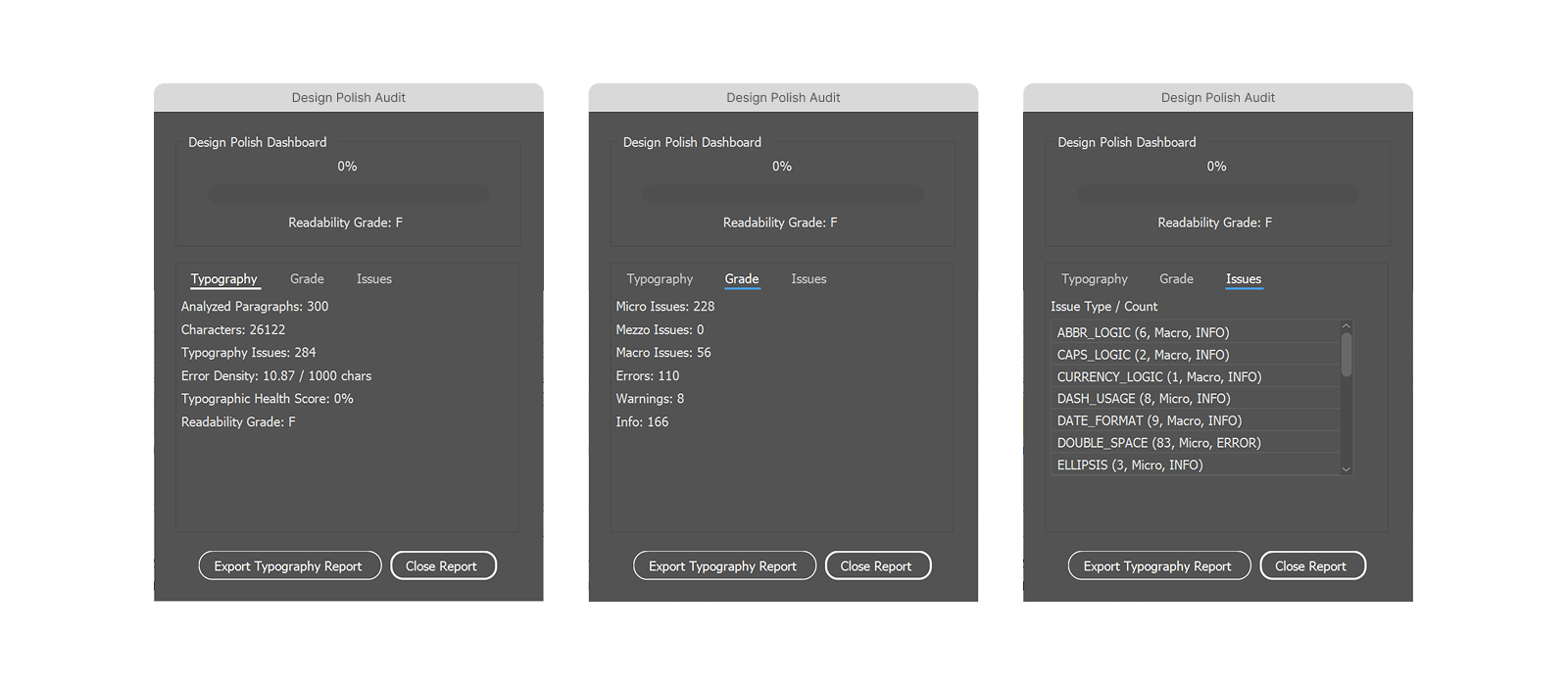
The Typography report presents Typography, Grade, and Issues views. The Issues view is a report list; it is not the primary click-to-jump control in this release. Use the persistent navigator in the main palette to jump between document occurrences.
9.5 Result freshness
The Action Layer and exports rely on the latest authoritative report model. Editing the document after an audit can make the Fix Plan stale. Safe actions are disabled when Avellio cannot prove that the stored candidate still matches the current text or formatting.
If the status says Needs audit, the report is old, navigation is incomplete, or Fixes refuses execution, run a new complete Typography Audit.
9.6 Report grading
The Grade view summarizes the current finding model. Treat the grade as a comparative QA signal, not as an objective design score. Compare like-for-like documents with the same profile, locale, scope, thresholds, and release.
Release sourceThis page was generated from the Markdown companion of the verified distribution PDF.