

14. Health check and troubleshooting
The full operational, safety, workflow, reporting, locale, and issue reference.
14.1 Health
Use Health to verify the production environment. The check covers the build marker, host application, required modules, license interface, support directory, action transaction support, and palette state.
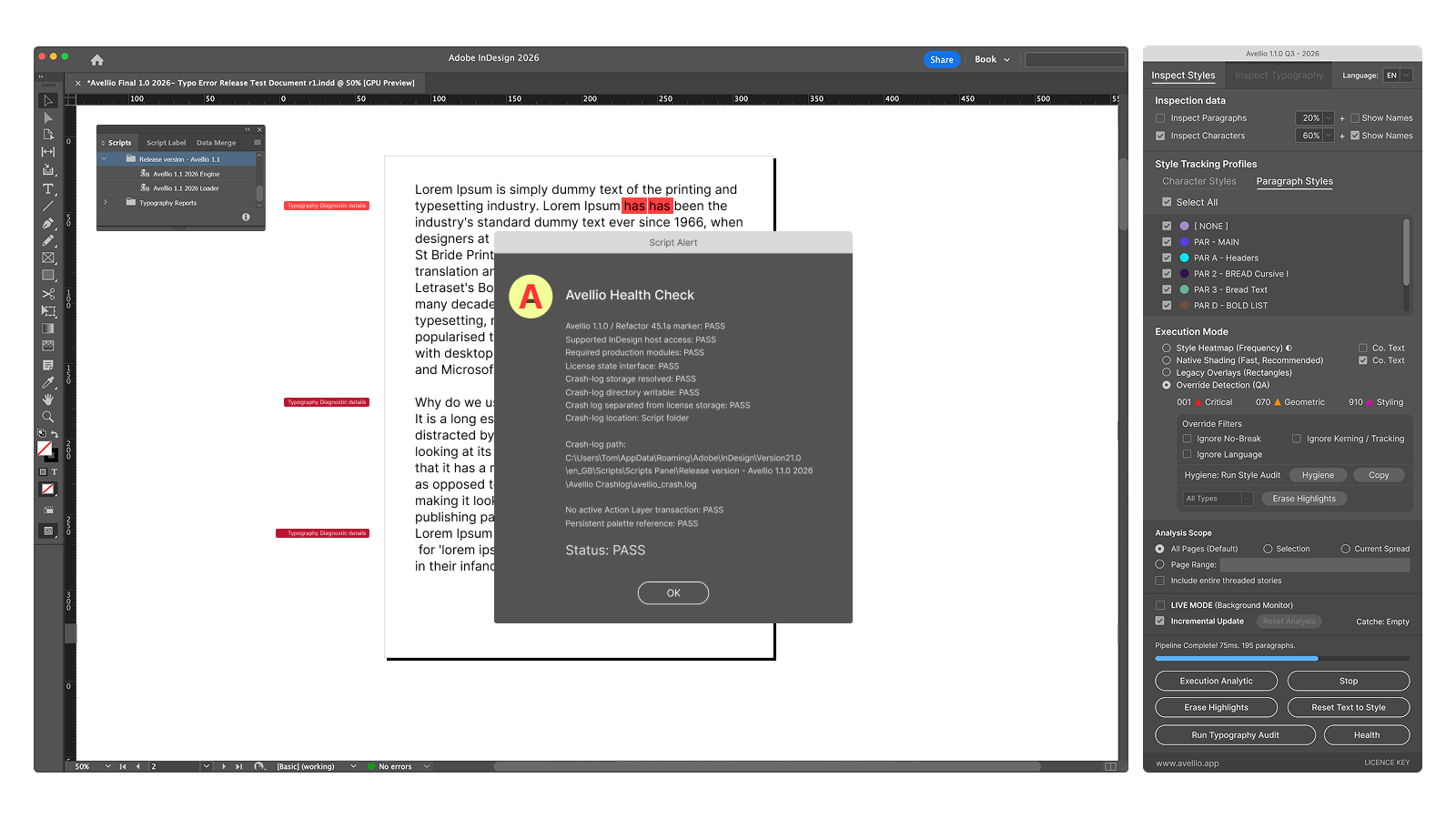
Health replaces older documentation references to RTST. If a legacy guide instructs you to run RTST, use Health in version 1.1.0.
14.2 Troubleshooting table
| What happened | Why it happened | What Avellio changed | Continue safely |
|---|---|---|---|
| Avellio does not appear in Scripts | Package installed in another Scripts folder or panel not refreshed | Nothing | Reveal the active user scripts folder, install the complete package, and reopen the panel. |
| Engine core disconnected | Loader/Engine missing, mismatched, renamed, or blocked | Nothing | Reinstall the matched Loader + Engine package and launch the Loader. |
| Panel refuses to analyze the active document | The palette is bound to a different document | Nothing in the newly active document | Close Avellio, activate the intended document, and relaunch. |
| Selection or range processed too much content | Requested scope contained no eligible target and fell back to All Pages | Analysis or diagnostic rendering may cover a broader scope | Stop if possible, erase diagnostics if required, verify the selection/range, reset analysis, and rerun. |
| Fixes says to run an audit | Only visual or Live analysis exists | Nothing | Run a complete Typography Audit. |
| Fix Plan is stale | Document content changed after the audit or after a fix | Previous confirmed fixes may already be applied; remaining offsets are no longer trusted | Inspect the last change and rerun Typography Audit before applying more fixes. |
| Apply All Safe Fixes is disabled | No executable safe candidates, stale plan, license/action guard, or preparation failure | Nothing from the disabled action | Read the Fix Plan summary, rerun the audit, and use Review Queue for contextual candidates. |
| Apply Selected Safe Fixes is disabled | Feature is not enabled in this release | Nothing | Use Apply All Safe Fixes or Review Queue. |
| Report is empty or outdated | Export model was not rebuilt after edits | Nothing | Run a full audit immediately before export. |
| Report folder cannot be found | Script folder is not writable and the Documents fallback was used | The report may have been written under Documents/Avellio Reports |
Read the save confirmation and inspect the matching report subfolder under Documents/Avellio Reports. |
| Analysis is slow | Rivers, legacy overlays, Deep Audit, broad scope, or large threaded stories | The active run may have added partial diagnostics before Stop completes | Let the atomic operation finish or use Stop, then reduce scope, disable Rivers, use Native Shading, or choose a narrower profile. |
| Diagnostic color remains | A native marker, condition, overlay, or other track remains | Temporary diagnostics remain in the document | Run Erase Highlights, inspect technical layers/conditions, switch tracks if necessary, and accept cleanup when closing Avellio. |
| License requires validation | Grace period elapsed or local metadata/system state changed | No document correction is performed by license validation | Connect to the internet, verify date/firewall/proxy settings, and update the license status. |
14.3 Crash log
If Avellio reports an unexpected failure, preserve avellio_crash.log, the product version, InDesign version, operating system, active profile, locale, scope, and a reproducible sequence. The log is normally in Avellio Crashlog beside the running script, with Documents/Avellio Crashlog and then the operating-system temporary folder as fallbacks. Do not share the InDesign document or report snippets without authorization.
Release sourceThis page was generated from the Markdown companion of the verified distribution PDF.