

5. Interface tour
The full operational, safety, workflow, reporting, locale, and issue reference.
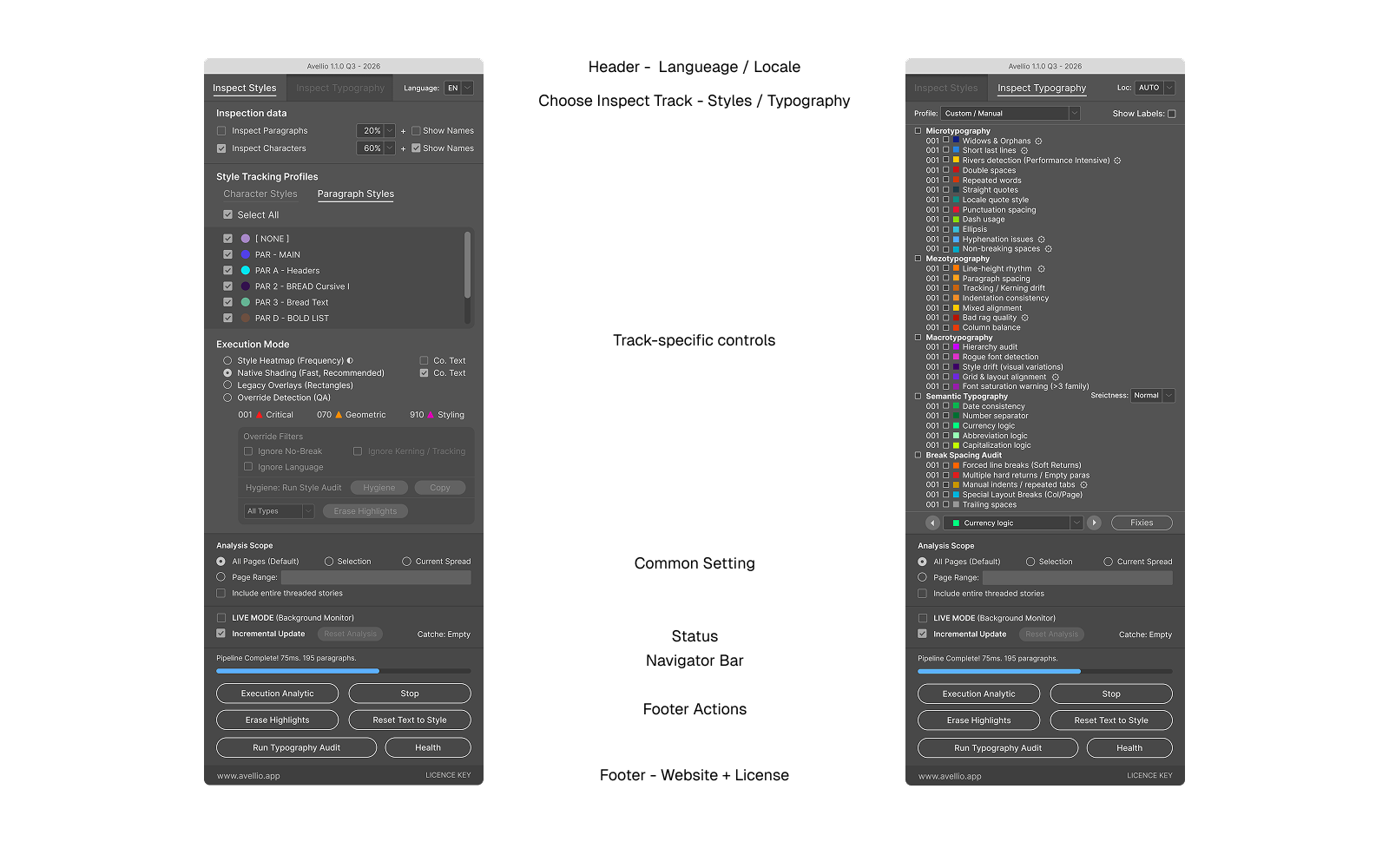
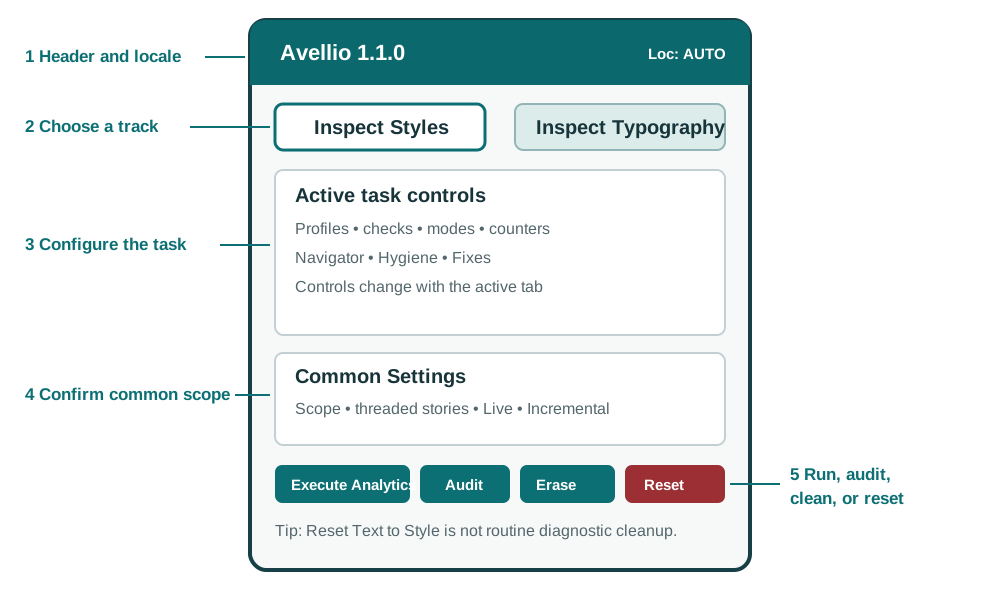
INSPECT The palette is organized around the task you are performing: choose a track, configure that task, confirm the shared scope, and then run or audit it. The first figure identifies the actual panel regions; the second summarizes the operating model.
5.1 Header and main tabs
The palette identifies the Avellio version and provides two primary tabs:
- Inspect Styles
- Inspect Typography
The compact Loc: menu applies to Typography analysis. Changing locale requires a new analysis run.
5.2 Common Settings
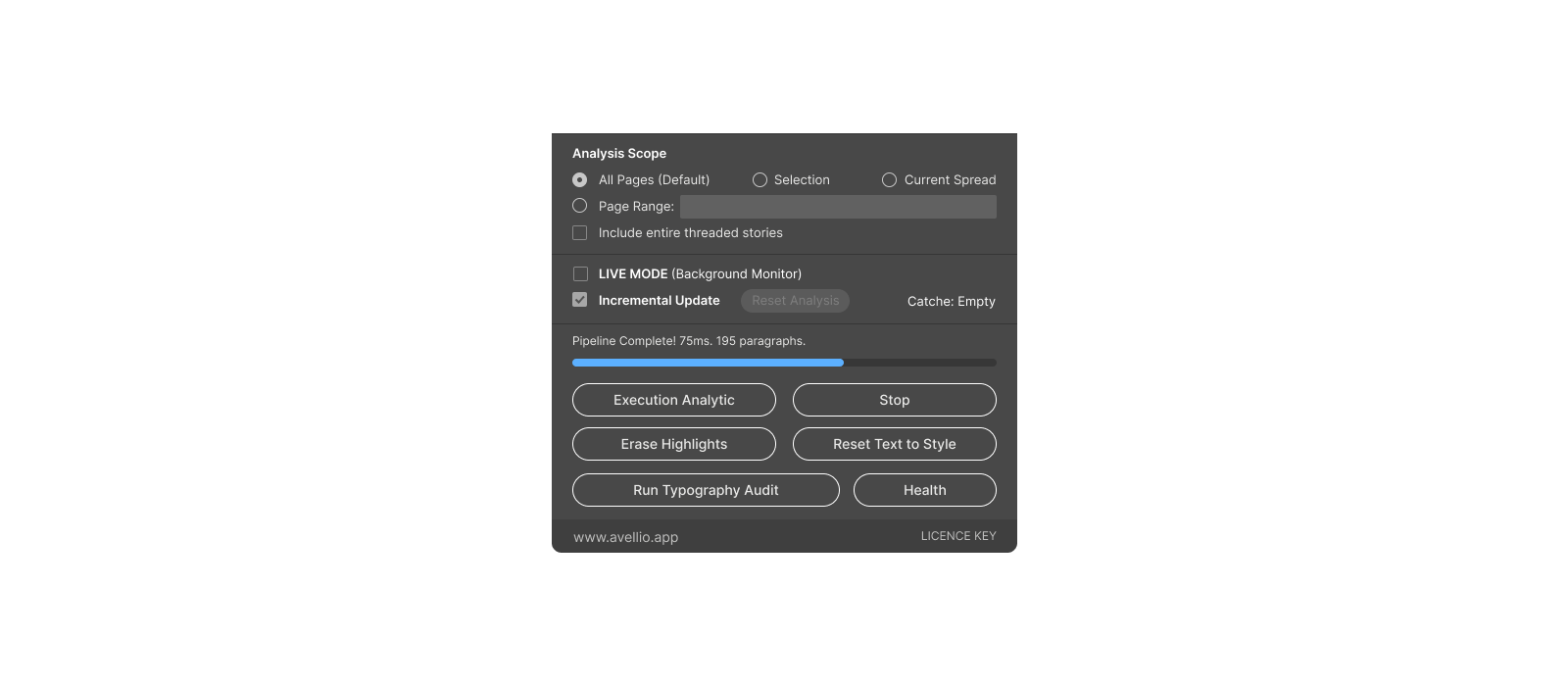
Both tracks share:
- Analysis Scope;
- Include entire threaded stories;
- LIVE MODE (Background Monitor);
- Incremental Updates;
- Reset Analysis;
- cache status;
- execution status.
5.3 Footer controls
| Control | Purpose |
|---|---|
| Execute Analytics | Runs the currently selected inspection settings and renders diagnostics. |
| Stop | Requests cancellation of the current run. The current atomic operation may finish before the panel becomes idle. |
| Erase Highlights | Removes Avellio diagnostic rendering for the relevant active context. |
| Reset Text to Style | Clears local formatting overrides broadly. This is destructive and requires caution. |
| Style Integrity Audit / Typography Audit | Runs the authoritative audit for the active track and opens its report workflow. |
| Health | Runs the production self-check. It is available in the Typography context. |
| KEY | Opens license status and license management. |
The exact audit button text follows the active tab.
5.4 Persistent preferences
Avellio saves user preferences in Folder.userData/Avellio/.av_prefs.dat, the host-resolved per-user application-data location. The saved state includes the active tab, typography profile, locale, strictness, enabled checks, inspection modes, opacities, thresholds, and other panel choices. Thresholds do not reset merely because the palette closes.
Use category reset buttons in Configure Limits or restore settings deliberately if you want defaults.
5.5 Closing and switching tracks
Closing the palette prompts you to decide whether Avellio highlights and technical layers should be erased. Preferences are saved during closure.
Switching between major tracks performs a full visual cleanup to prevent diagnostics from one track from being confused with the other. If Live Mode is enabled, monitoring may resume for the newly active track after the transition.
Release sourceThis page was generated from the Markdown companion of the verified distribution PDF.