

7. Verify, export, and clean up
Install Avellio, run a first audit, review findings, fix safely, and verify the result.
INSPECT Goal: prove that the corrections are correct, create current reports, and leave the delivery copy clean.
7.1 Rerun the audit
After any corrective action:
- inspect the changed text visually;
- run the complete Typography Audit again;
- verify that intended issues disappeared and no new problems appeared;
- resolve or document remaining manual-only findings.
Do not export a final report from a stale result or from Live Mode alone.
7.2 Export reports
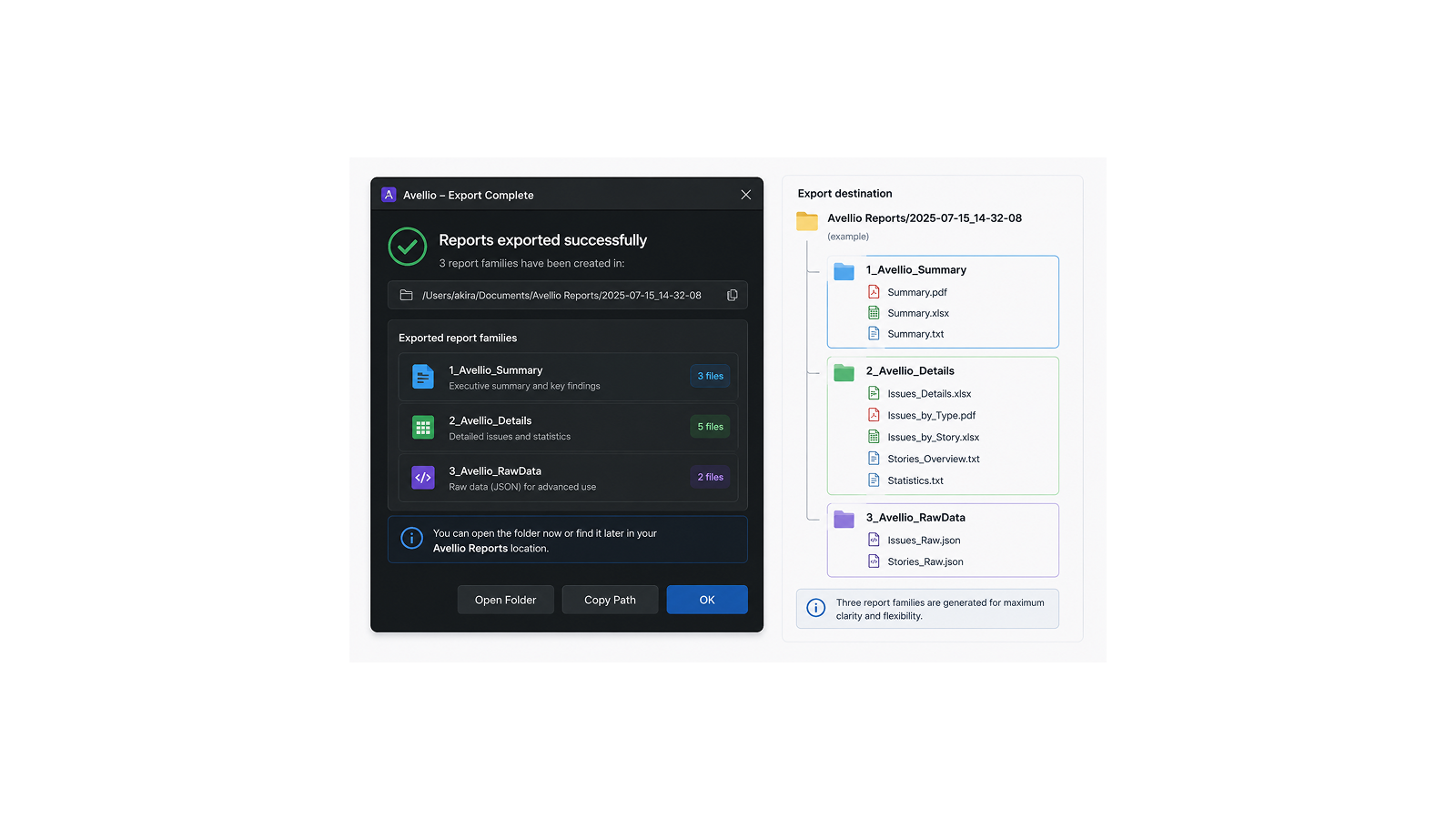
Avellio can create:
- a Typography CSV in
Typography Reports; - an Override CSV in
Override Reports; - a Fix Plan TXT report in
Fix Reports.
These folders are created beside the running JSX or JSXBIN when that location is writable. Otherwise Avellio uses the matching subfolder under Documents/Avellio Reports. Read the save confirmation for the final path.
7.3 Remove diagnostics
- Click Erase Highlights.
- If you used Legacy Overlays or Conditional Text, check the Layers and Conditional Text panels.
- Close Avellio and choose to erase highlights and technical layers when prompted.
- Export a proof PDF and inspect it for retained colors, shading, underlines, labels, or overlays.
- Save the cleaned InDesign document as a new version.
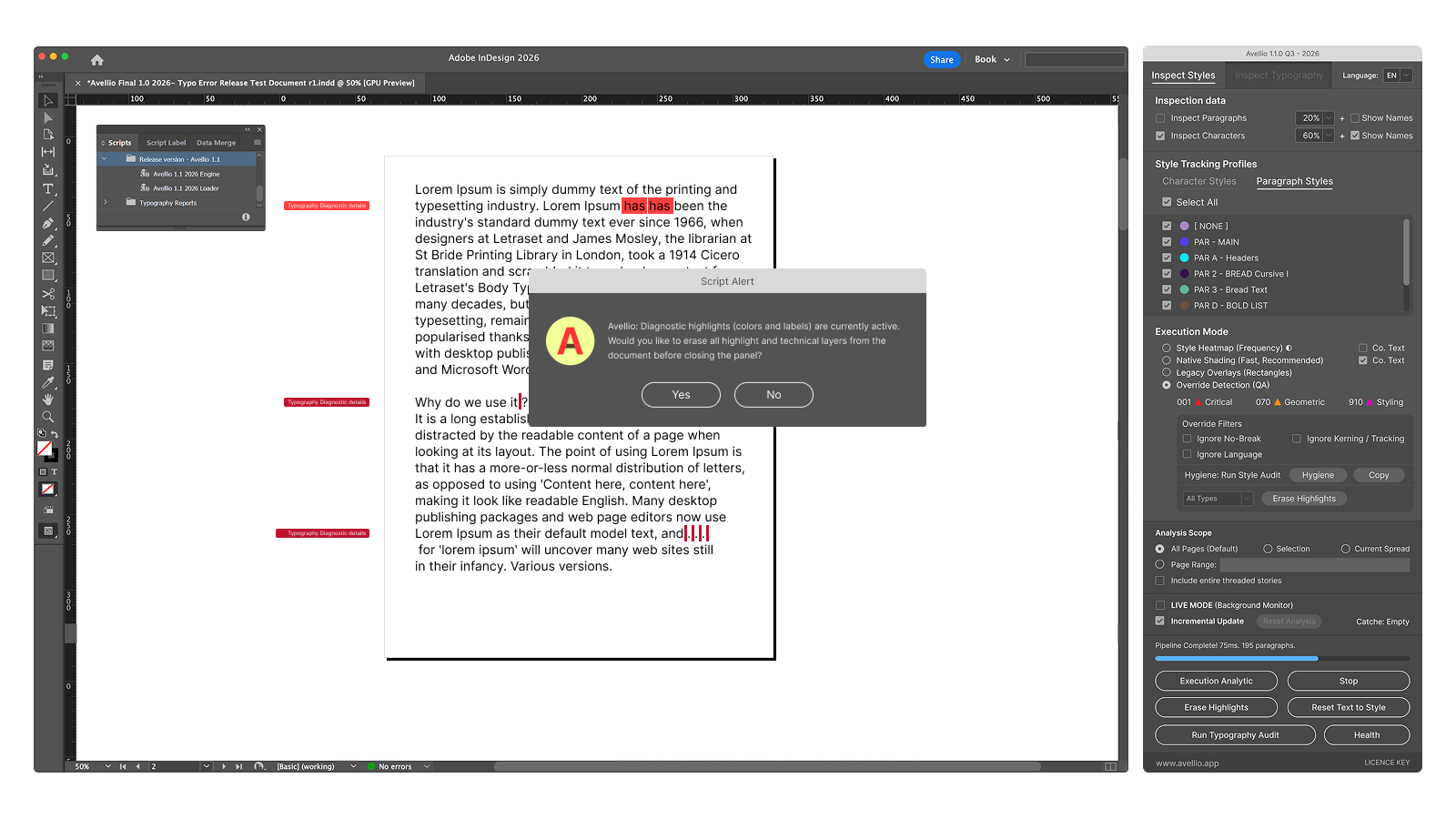
Reset Text to Style is not diagnostic cleanup. It clears local formatting overrides across the document and can remove intentional formatting.
Success looks like: reports come from the final audit, no Avellio colors or technical objects appear in the proof PDF, and the clean document is saved separately from the working copy.
Release sourceThis page was generated from the Markdown companion of the verified distribution PDF.